> ## Documentation Index
> Fetch the complete documentation index at: https://docs.maia.ai/llms.txt
> Use this file to discover all available pages before exploring further.
# Understanding artifacts
export const maia = "Maia";
export const designer = "Designer";
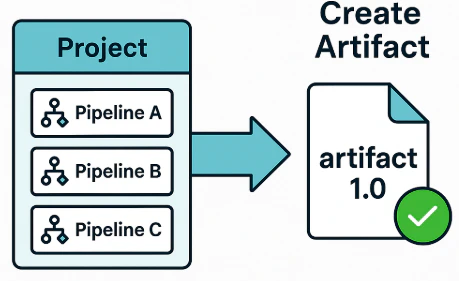
Artifacts are versioned, read-only packages that contain one or more pipelines, frozen at a specific point in time and ready for production deployment.
This page explains what artifacts are, how to create them using both {maia} and the public API, and how artifacts help ensure consistency and control in your data workflows.
## What is an artifact?
An artifact is a versioned, read-only bundle of pipelines that can be executed in a production environment. An artifact includes any selected pipelines, along with any dependencies, into a single, snapshotted version that captures exactly what was present at the time of the build. Artifacts are:
* **Immutable:** Once built, an artifact never changes.
* **Versioned:** Each artifact has a unique name or tag (for example, `v2025.06.01-analytics`).
* **Portable:** An artifact can be deployed across environments without relying on editable pipeline source code.
 ***
## Why artifacts exist
Artifacts help you manage data pipelines in production environments. They provide:
* **Reproducibility:** Artifacts capture the exact state of pipelines at the time of build, shielding production environments from later edits or unfinished work.
* **Isolation and auditability:** Each artifact has a unique version tag, enabling teams to promote or roll back versions with confidence.
* **Packaging and performance:** Artifact creation flattens pipeline call chains, resolves dependencies, and compiles the result into a portable, serialized format optimized for execution.
* **CI/CD friendliness:** Artifacts can be integrated into automated workflows and stored in common artifact registries like Artifactory or Amazon S3.
***
## How to create an artifact
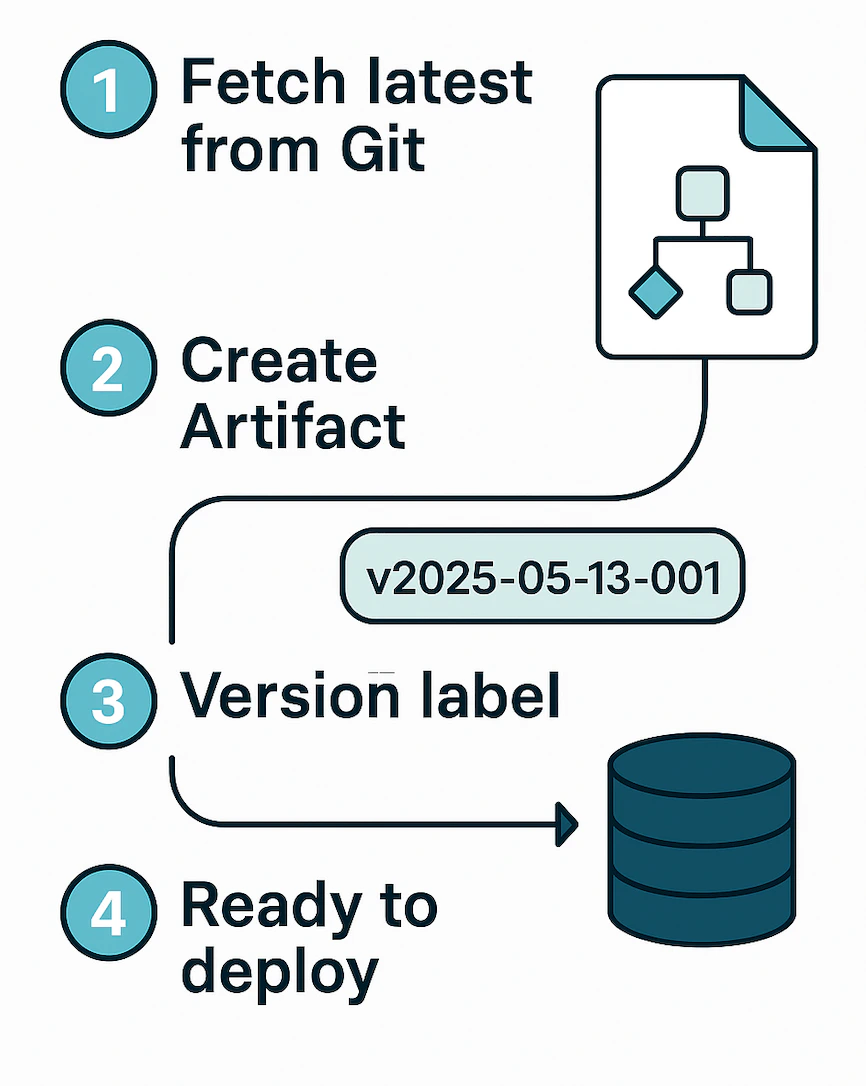
This section explains how to create an artifact. You can do this either via {maia} or through the public API in conjunction with your CI/CD pipelines.
### UI method
Read [Artifacts](/docs/guides/artifacts) to learn how to create artifacts in {maia}.
***
## Why artifacts exist
Artifacts help you manage data pipelines in production environments. They provide:
* **Reproducibility:** Artifacts capture the exact state of pipelines at the time of build, shielding production environments from later edits or unfinished work.
* **Isolation and auditability:** Each artifact has a unique version tag, enabling teams to promote or roll back versions with confidence.
* **Packaging and performance:** Artifact creation flattens pipeline call chains, resolves dependencies, and compiles the result into a portable, serialized format optimized for execution.
* **CI/CD friendliness:** Artifacts can be integrated into automated workflows and stored in common artifact registries like Artifactory or Amazon S3.
***
## How to create an artifact
This section explains how to create an artifact. You can do this either via {maia} or through the public API in conjunction with your CI/CD pipelines.
### UI method
Read [Artifacts](/docs/guides/artifacts) to learn how to create artifacts in {maia}.
 ### API method
In a CI/CD pipeline, artifact creation is more explicit and customizable:
1. Checkout branch on staging runner.
1. Your CI job (for example, `git clone && git checkout release/1.7`)
2. Upload each pipeline to the platform.
1. CI job loops: `POST /pipelines/{id}/versions`
2. Uses the `uploadPipeline` API call.
3. Instruct platform to build.
1. CI job sends `POST /artifacts` with list of pipeline IDs.
2. Uses the `createArtifact` API call.
4. Artifact ID returned by the platform.
When using the API, the upload happens first, because the server has no direct access to your local repo. You supply the materials explicitly, then ask for the build.
### API method
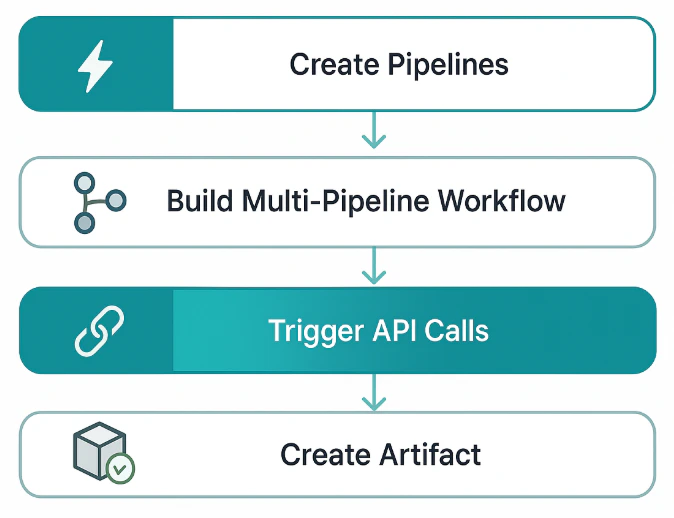
In a CI/CD pipeline, artifact creation is more explicit and customizable:
1. Checkout branch on staging runner.
1. Your CI job (for example, `git clone && git checkout release/1.7`)
2. Upload each pipeline to the platform.
1. CI job loops: `POST /pipelines/{id}/versions`
2. Uses the `uploadPipeline` API call.
3. Instruct platform to build.
1. CI job sends `POST /artifacts` with list of pipeline IDs.
2. Uses the `createArtifact` API call.
4. Artifact ID returned by the platform.
When using the API, the upload happens first, because the server has no direct access to your local repo. You supply the materials explicitly, then ask for the build.
 ***
## What constitutes an artifact?
A typical artifact contains:
```
artifact/
├── manifest.yaml # name, version, build‑time stamps, Git SHAs
├── pipelines/
│ ├── ingest.parquet # compiled representation (JSON / protobuf)
│ ├── enrich.parquet
│ └── master-flow.parquet
└── libs/ # optional UDF jars, wheels, or in‑house libs
```
Everything under `artifact/` is read‑only at runtime.
***
## Artifact lifecycle
The lifecycle of an artifact typically follows these steps:
1. **Build:** Create a versioned snapshot from pipelines.
2. **Store:** Save the artifact to the platform's internal registry.
3. **Promote:** Deploy the artifact to test, staging, or production environments.
4. **Rollback (if needed):** Revert to a previous versioned artifact.
***
## FAQ
| Question | Answer |
| ------------------------------------------------------------ | --------------------------------------------------------------------------------------------------------- |
| Can I edit an artifact? | No. Artifacts are immutable. To make changes, you must edit your pipelines and build a new artifact. |
| Does production pick up pipeline edits automatically? | No. You must create and deploy a new artifact. |
| Do I need one artifact per pipeline? | Typically, one artifact is built per release and includes all pipelines that should be deployed together. |
| Can I deploy the same artifact to multiple environments? | Yes. Artifacts are designed to be portable across environments. |
| How can I inspect what's in an artifact? | Check the artifact's `manifest.yaml` for version, pipeline list, and metadata. |
| Where are artifacts stored? | In the platform's internal artifact registry (for example, in Amazon S3 under `artifacts/`). |
| Does production automatically update when I edit a pipeline? | No. Only new artifacts trigger changes. |
| How do I rollback? | You can deploy a previous artifact version, with no need to revert source code. |
Artifacts help you deliver reliable, reproducible data pipelines in production. Whether you use {maia} UI or integrate with your CI/CD pipelines via API, artifacts ensure that what you design is exactly what runs.
***
## What constitutes an artifact?
A typical artifact contains:
```
artifact/
├── manifest.yaml # name, version, build‑time stamps, Git SHAs
├── pipelines/
│ ├── ingest.parquet # compiled representation (JSON / protobuf)
│ ├── enrich.parquet
│ └── master-flow.parquet
└── libs/ # optional UDF jars, wheels, or in‑house libs
```
Everything under `artifact/` is read‑only at runtime.
***
## Artifact lifecycle
The lifecycle of an artifact typically follows these steps:
1. **Build:** Create a versioned snapshot from pipelines.
2. **Store:** Save the artifact to the platform's internal registry.
3. **Promote:** Deploy the artifact to test, staging, or production environments.
4. **Rollback (if needed):** Revert to a previous versioned artifact.
***
## FAQ
| Question | Answer |
| ------------------------------------------------------------ | --------------------------------------------------------------------------------------------------------- |
| Can I edit an artifact? | No. Artifacts are immutable. To make changes, you must edit your pipelines and build a new artifact. |
| Does production pick up pipeline edits automatically? | No. You must create and deploy a new artifact. |
| Do I need one artifact per pipeline? | Typically, one artifact is built per release and includes all pipelines that should be deployed together. |
| Can I deploy the same artifact to multiple environments? | Yes. Artifacts are designed to be portable across environments. |
| How can I inspect what's in an artifact? | Check the artifact's `manifest.yaml` for version, pipeline list, and metadata. |
| Where are artifacts stored? | In the platform's internal artifact registry (for example, in Amazon S3 under `artifacts/`). |
| Does production automatically update when I edit a pipeline? | No. Only new artifacts trigger changes. |
| How do I rollback? | You can deploy a previous artifact version, with no need to revert source code. |
Artifacts help you deliver reliable, reproducible data pipelines in production. Whether you use {maia} UI or integrate with your CI/CD pipelines via API, artifacts ensure that what you design is exactly what runs.