
Accessing the usage dashboard
To access the usage dashboard, you need to register with . Once you have logged in to your account, access the dashboard through one of these methods:- In the left navigation, click your Profile & Account icon. Then, select Credit usage in the menu.
- On the homepage, click the Monitor credit usage icon under Quicklinks.
Consumption overview
The consumption overview shows your plan details alongside a graph of your credit consumption over time.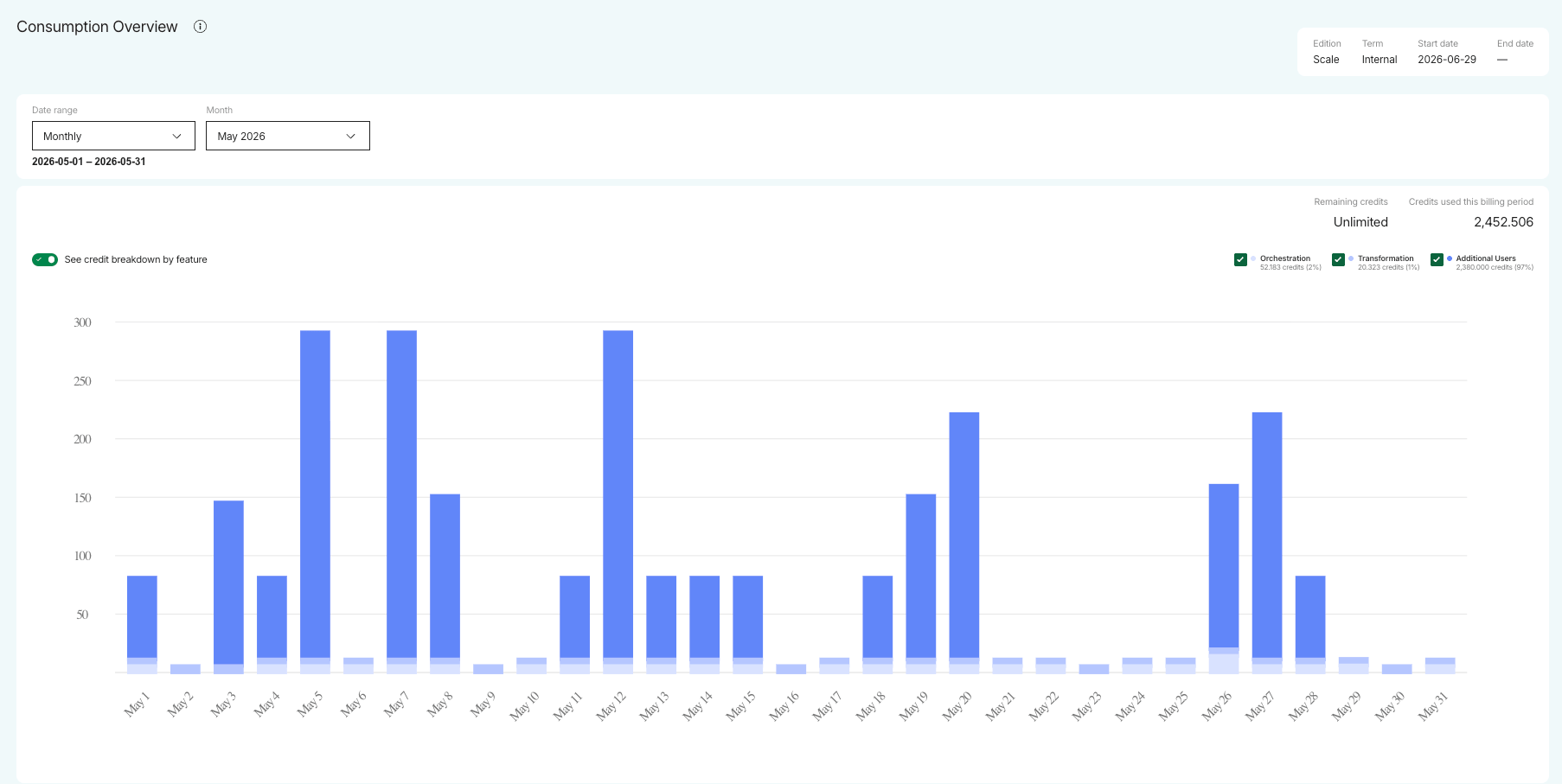
Plan details
At the top of the page you will see your account, subscription, and plan details:
Usage is organized into tabs by product. Click a tab—such as Maia Foundation or Matillion ETL—to view consumption for that product.
Free trial information
If you’re currently on a free trial, the usage dashboard shows how many days are remaining in your trial period, and your remaining credits. Click View Breakdown to view a breakdown of your usage consumption. You can find information about the different plans available after your free trial ends by clicking:- View pricing: This opens the Choose your edition page, which provides comprehensive information about each plan and subscription. You can explore each plan in detail by selecting the Show all features link to open the Compare features dialog. For more information, read the Marketplace subscriptions documentation or visit the Pricing page.
- Talk to sales: This opens a form that lets you send a message to our Sales team.
Selecting a date range
Use the Date range drop-down to control the time period shown in the consumption overview. You can select:- Last 7 days or Last 30 days: the graph shows credit consumption for each day in the period.
- Monthly: Select a month from the Month drop-down. The graph shows credit consumption for each day of the selected month.
- Quarterly: Select a quarter from the Quarter drop-down, such as Q2 2026. The graph shows credit consumption for each month in the selected quarter.
- Custom: Use the date pickers to set a start date and an end date.
Credit consumption graph
The graph shows your credit consumption for the selected date range. To the top right of the graph you can see:- Remaining credits: The number of credits remaining against your allowance.
- Credits used this billing period: The total credits used during your current billing period.
If you’re on a free trial, you can view how many credits you have used so far. If you’ve already subscribed to a plan, you can see how many credits you have used over the selected period.
Credit breakdown by feature
Toggle See credit breakdown by feature on to break the graph down by feature. Select the checkbox for each feature you want to include:- Orchestration
- Transformation
- Streaming
- Additional Users
Test pipelines (created using Add → Test in ) are treated as orchestration pipelines per Matillion’s credit consumption terms.
Credit breakdown
The credit breakdown gives you a granular view of your credit usage, so you can observe where costs are accruing. It’s organized into two tabs:- Projects & Pipelines: Credit usage at the pipeline level.
- Additional Users: Charges for users added above your contracted limit.
Projects and pipelines
The Projects & Pipelines tab lists your pipelines and the credits each has consumed. Filter the results using the following drop-downs, individually or in combination:- Project: Select the checkbox for one or more projects in your account.
- Environment: Select the checkbox for one or more environments. The list shows the environments in the projects you’ve selected, or all environments if you haven’t selected a project.
- Feature: Select the checkbox for Orchestration, Transformation, or both.
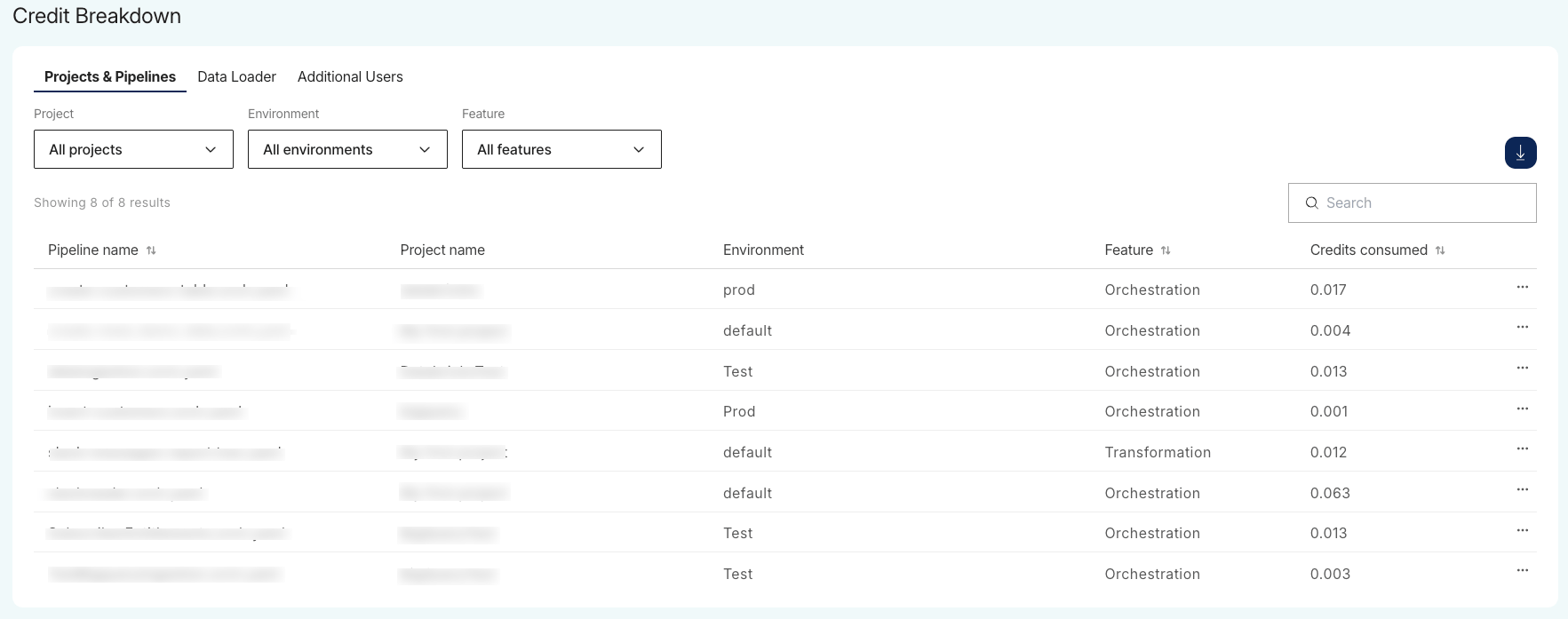
You can also interact with the table in the following ways:
- Sort: Click the up/down arrows in the Pipeline name, Feature, or Credits consumed column header to reorder the rows.
- Search: Use the search bar to find a pipeline by name.
View daily breakdown
To see a single pipeline’s credit consumption day by day, click the options (…) menu in its row and select View daily breakdown. The daily breakdown page shows the pipeline’s credit consumption for the date range set in the consumption overview. At the top of the page you can see the total Credits consumed and the Date range. The table lists each Date and the Credits consumed on that date.Additional users
The Additional Users tab provides visibility into individual user credit charges. This tab tracks users who have been added to the account above the limit defined in your base contract. API credentials don’t count toward this seat limit and don’t appear in this breakdown. Use the Users drop-down to filter by specific users.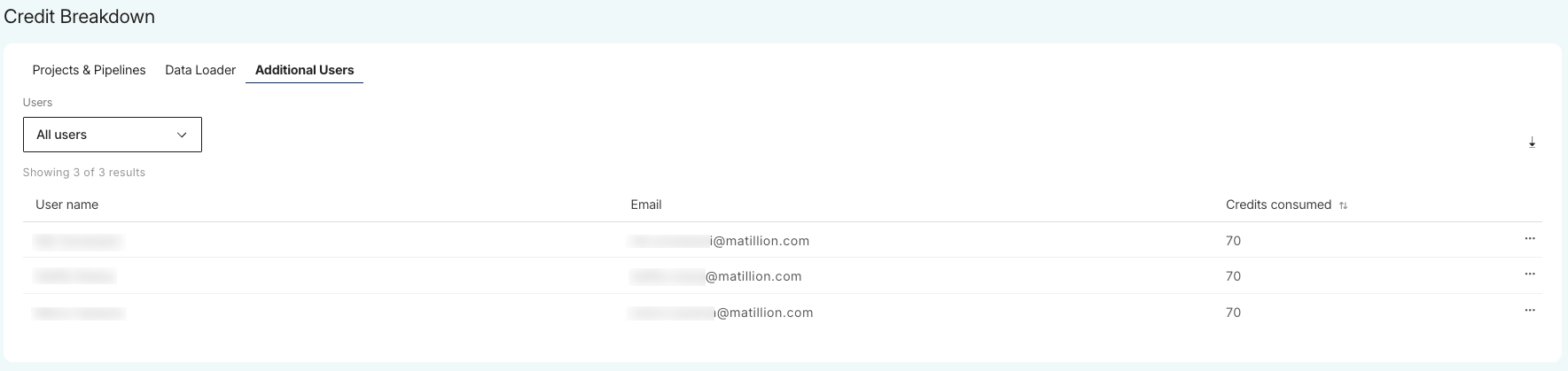
To see a user’s credit consumption day by day, click the options (…) menu in their row and select View daily breakdown.